1 · Emergency warning
One button on top. A press would sound a local alarm, speak “Help called”, turn the ring red and show “Help called” on the round display; if a family device is paired, an alert would go there over Wi-Fi or the cellular link.
Limit: Only helps if the button can be reached. Not an emergency service; no promised response. Needs power and a network for the alert.
2 · Room air
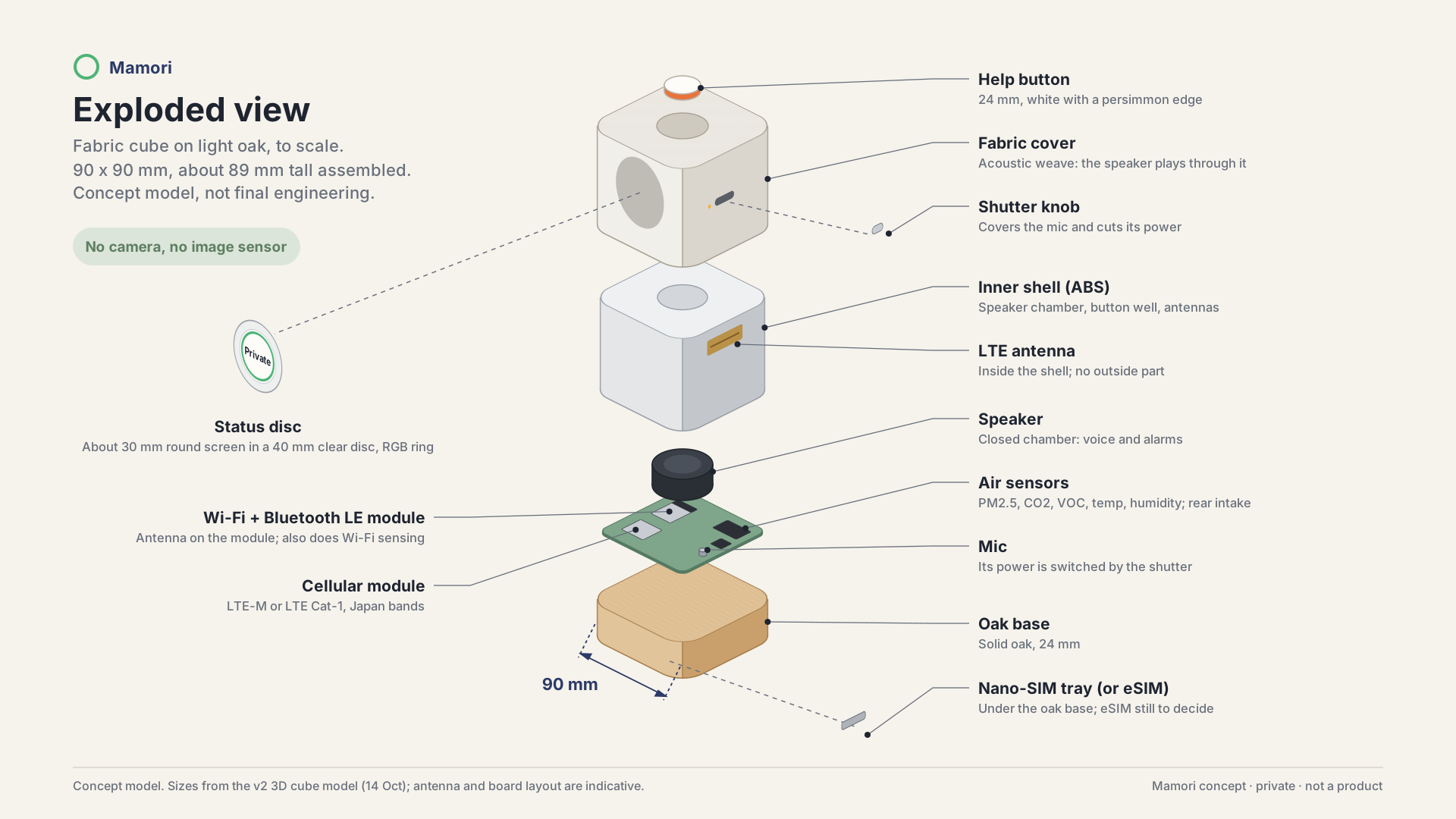
PM2.5, CO2, VOC, temperature and humidity near a rear air intake, spoken in plain words (“air looks stale”, “room is cold”) and sent as optional short summaries.
Limit: Room air readings, not health measurements. Low-cost sensors drift and need calibration; heat near the sensors skews readings.
3 · Possible-fall flag (target)
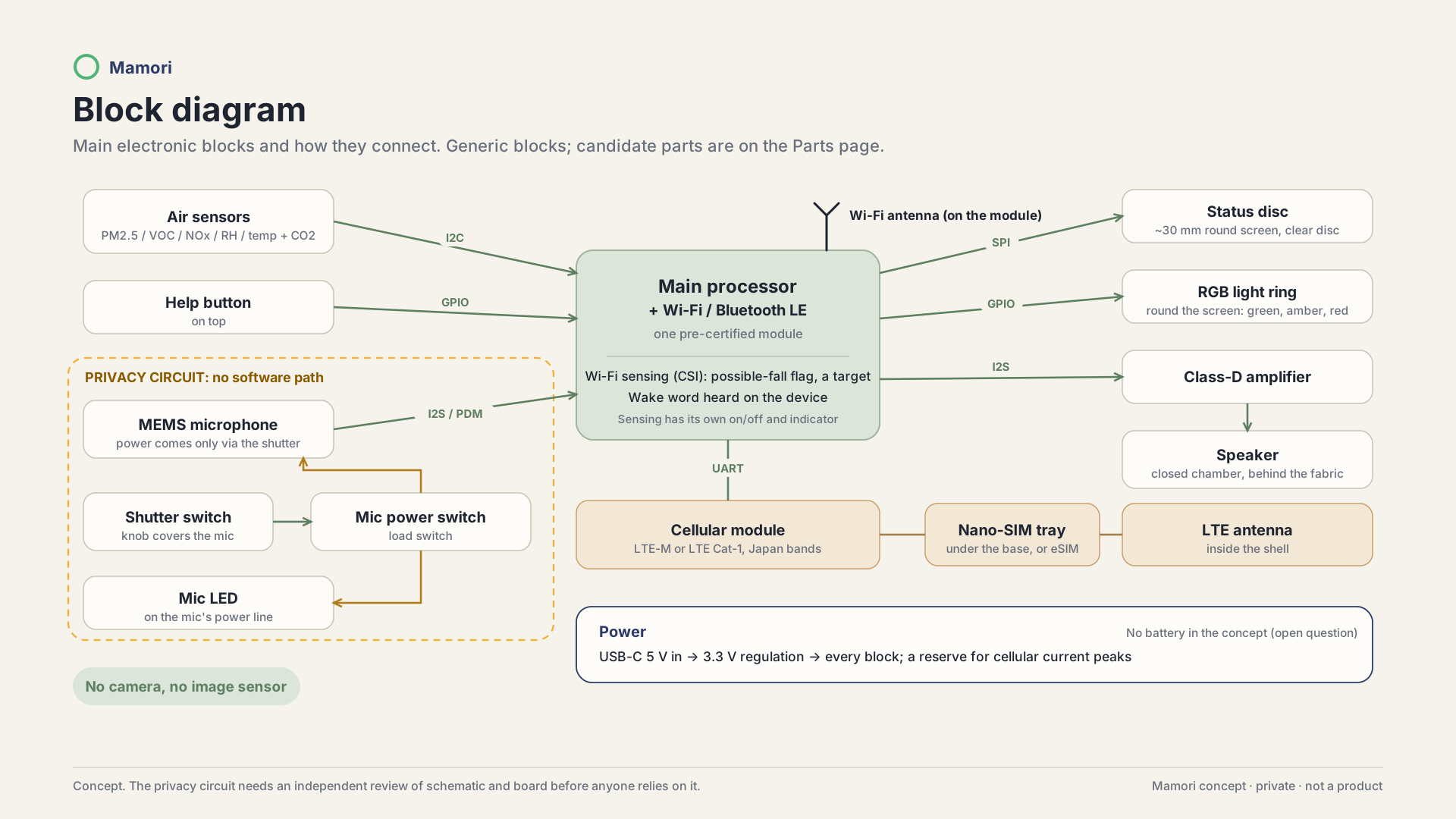
Wi-Fi sensing is built in: the device’s own Wi-Fi radio reads changes in the Wi-Fi channel (CSI) to sense motion in the room. It is designed to flag a possible fall (a target, to be validated in the pilot) and pass the flag to the paired device. A partner’s separate sensor becomes optional.
Limit: A design target, not validated, not a medical function. It may miss real falls or raise false ones; results depend on the room, furniture and router.
4 · It speaks and listens
A speaker behind the fabric and a voice assistant: a wake word is heard on the device, then the request goes to a cloud speech service. Calls with a paired family device too; the ring turns amber and the display says “Mic on”.
Limit: Listening, the assistant and calls work only with the shutter open. The cloud speech service needs a network and has its own terms.
5 · Privacy by hardware
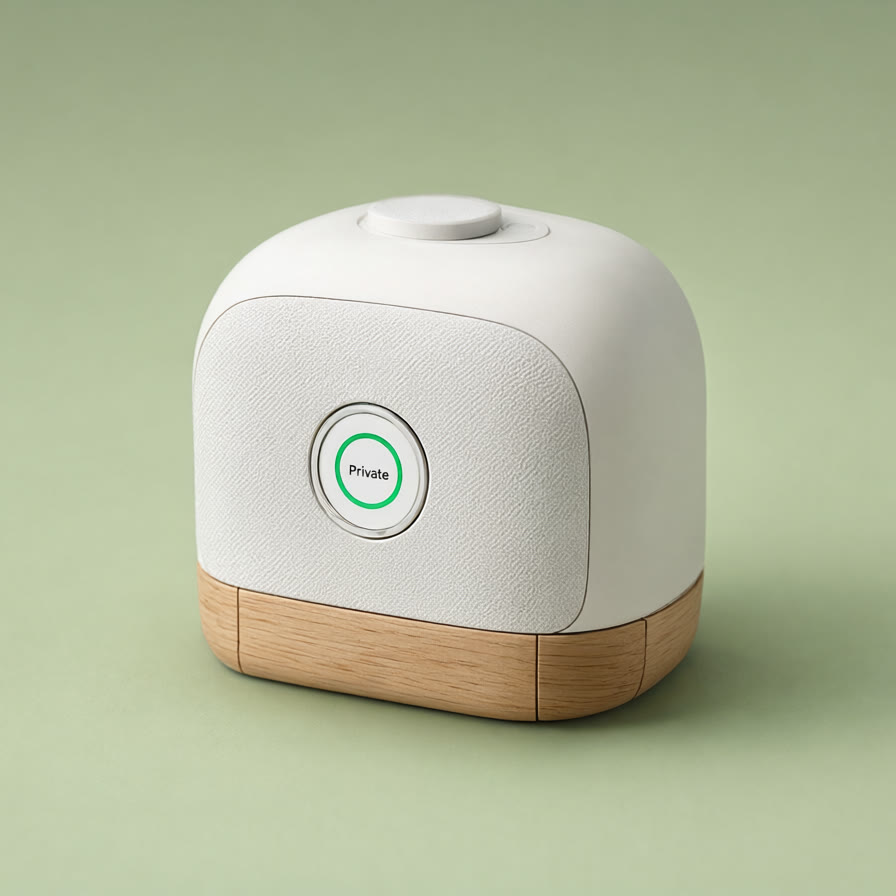
No camera, no image sensor. A physical shutter covers the mic and cuts its power; the mic LED sits on the mic’s power line. With the shutter closed it cannot hear, but it can still speak alerts. Ring and word: green = Private, amber = Mic on, red = Help called.
Limit: The circuit needs an independent check before anyone relies on it. Wi-Fi sensing works without the mic, so it is not stopped by the shutter: it needs its own clear on/off and indicator.